
Handling NULL values in SQL Server require careful attention because
NULL they represent an unknown or missing value, which can lead to unexpected results if not handled correctly. Here are some strategies to handle
NULL values and avoid common pitfalls:
1. Using IS NULL and IS NOT NULL
To check for NULL values in a query, use IS NULL or
IS NOT NULL instead of = or !=.
Example:
SELECT * FROM Employees WHERE ManagerID IS NULL;
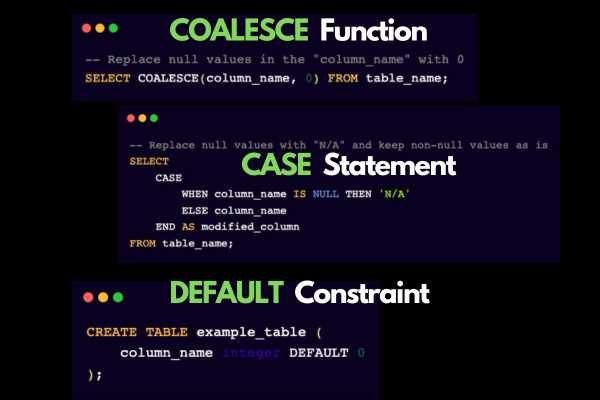
2. Using COALESCE
COALESCE returns the first non-NULL value in the list. It is useful for replacing
NULL with a default value.
Example:
SELECT EmployeeID, COALESCE(ManagerID, 0) AS ManagerID FROM Employees;
3. Using ISNULL
ISNULL is similar to COALESCE but only takes two arguments. It is used to replace
NULL with a specified value.
Example:
SELECT EmployeeID, ISNULL(ManagerID, 0) AS ManagerID FROM Employees;
4. Avoiding = and
<> with NULL
Since NULL represents an unknown value, comparisons with = or
<> will always result in UNKNOWN. Use IS NULL or
IS NOT NULL instead.
5. Using NULLIF
NULLIF returns NULL if the two arguments are equal, otherwise it returns the first argument. It is useful for avoiding division by zero errors.
Example:
SELECT Total / NULLIF(Quantity, 0) FROM Sales;
6. Handling NULL in Aggregate Functions
Most aggregate functions ignore NULL values except COUNT(*). Be aware of how
NULL values affect your results.
Example:
SELECT AVG(Salary) FROM Employees;  -- Ignores NULL
SELECT COUNT(Salary) FROM Employees;  -- Ignores NULL
SELECT COUNT(*) FROM Employees;  -- Includes NULL
7. Using CASE Statements
CASE can be used to handle NULL values conditionally.
Example:
SELECT
    EmployeeID,
    CASE
        WHEN ManagerID IS NULL THEN 'No Manager'
        ELSE CAST(ManagerID AS VARCHAR)
    END AS ManagerStatus
FROM Employees;
8. Be Aware of Three-Valued Logic
SQL uses three-valued logic (true, false, unknown) when dealing with NULL. Be cautious with logical operations involving
NULL.
Example:
SELECT * FROM Employees WHERE ManagerID <> 5;
-- Will not return rows where ManagerID is NULL
Common Pitfalls and Tips
- JOIN Conditions: Be cautious with
NULLin join conditions. UseIS NULLorIS NOT NULLto handleNULLvalues explicitly. - WHERE Clauses: Remember that
NULLcomparisons using=or<>will not work as expected. Always useIS NULLorIS NOT NULL. - Avoid Surprises with NULL Propagation: Understand how
NULLit propagates through expressions and functions. ANULLin an expression usually results inNULL. - Consistent Data Handling: Establish a consistent approach to handling
NULLvalues in your database schema and application code. - Testing and Validation: Regularly test and validate your queries and logic to ensure they handle
NULLvalues correctly.
By following these practices, you can effectively handle NULL values in SQL Server and avoid common pitfalls.


Leave Comment